

What Outsourcing Video Editing Covers
Cutting and assembly. Selecting takes, removing pauses, structuring the piece.
Audio. Levels, noise removal, music. The part viewers notice without being able to name it.
Captions, titles and graphics. Increasingly expected, especially for social video.
Repurposing. Cutting one long video into shorts and clips for other platforms, often the highest-return task.
The Threshold
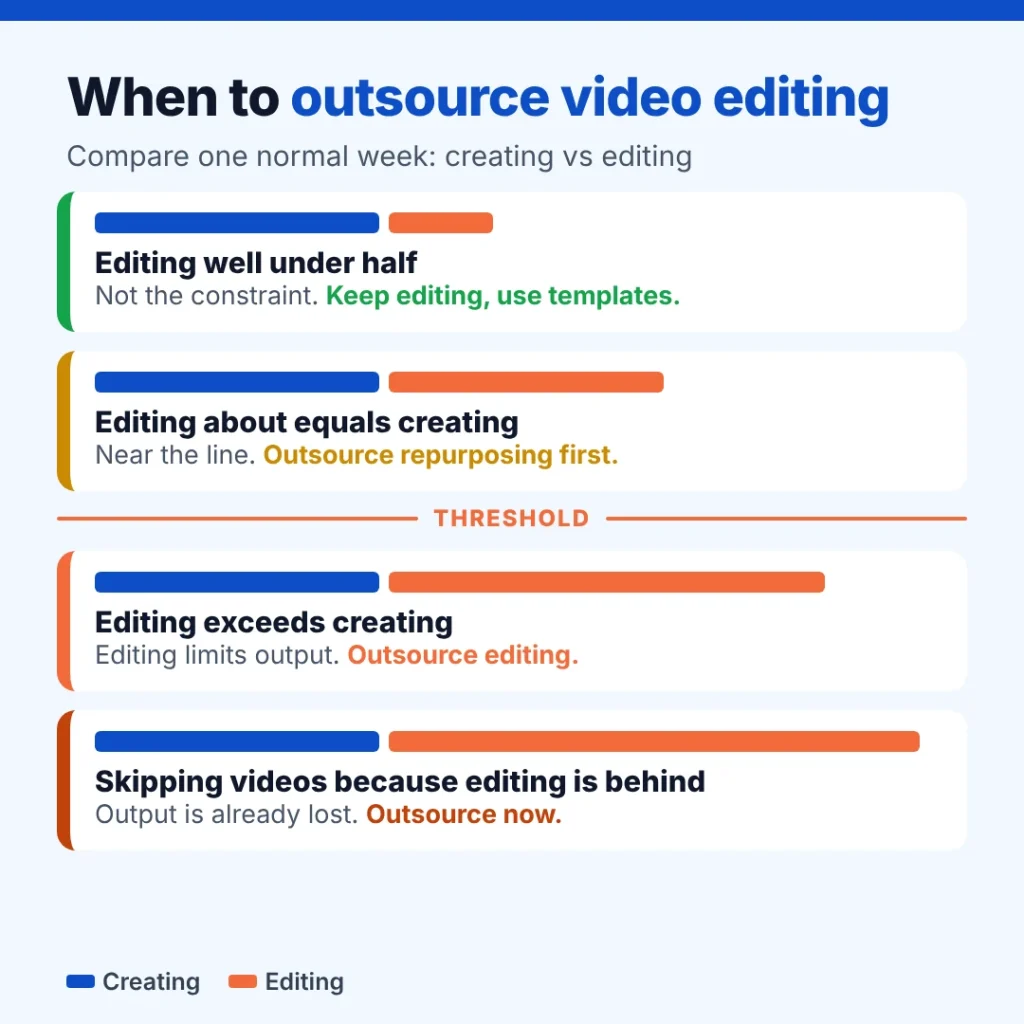
Track one normal week. Hours spent planning, filming and presenting go in one column. Hours spent in the editor go in the other.
| What you find | What it means | What to do |
|---|---|---|
| Editing is well under half of creation time | Editing is not the constraint | Keep editing yourself, or use templates |
| Editing roughly equals creation time | You are near the line | Outsource repurposing first, keep main edits |
| Editing exceeds creation time | Editing limits output | Outsource editing |
| You are skipping videos because editing is behind | Past the line | Outsource now; output is already lost |
Row three is the threshold. Past it, every hour you edit is an hour you are not creating, and creating is the part nobody else can do for you.
Four Ways to Outsource It
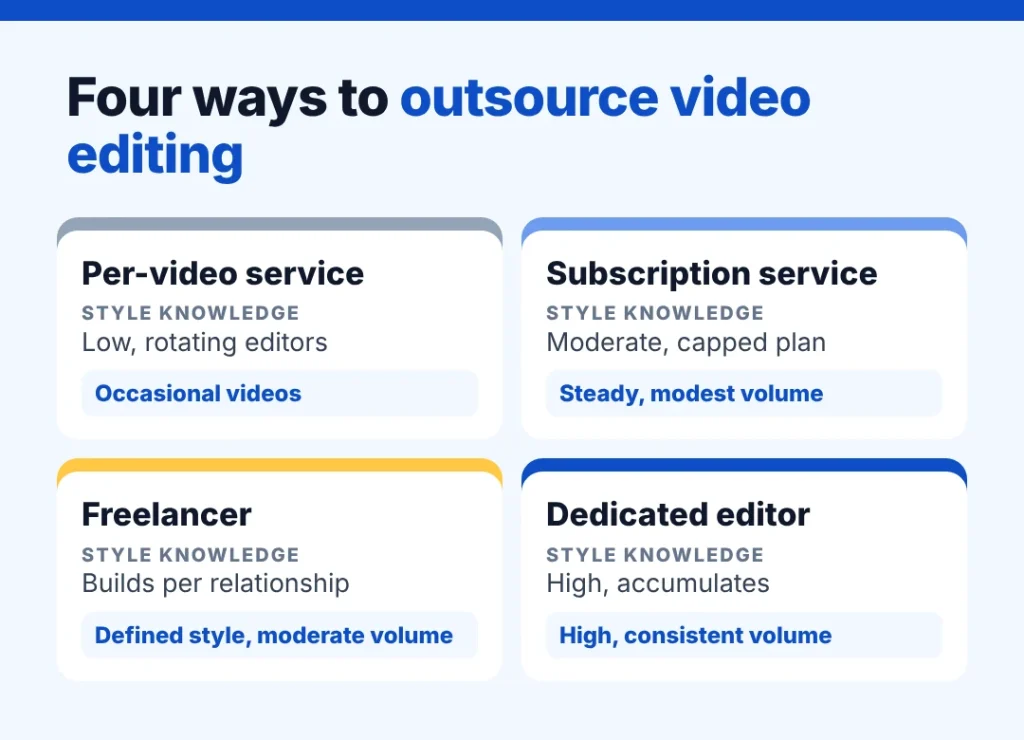
| Per-video service | Subscription editing service | Freelancer | Dedicated editor | |
|---|---|---|---|---|
| Pricing | Per video | Monthly plan with a video cap | Per project or hourly | Salary |
| Turnaround | Queue-based | Queue-based | Depends on availability | Agreed with you |
| Style knowledge | Low, rotating editors | Moderate | Builds per relationship | High, accumulates |
| Best for | Occasional videos | Steady but modest volume | Defined style, moderate volume | High, consistent volume |
Per-video and subscription services work well at low volume. As volume grows, rotating editors mean re-explaining your style, and queue-based turnaround slows publishing. A dedicated editor fixes both once volume is steady. Our guide to hiring a video editor covers how to set up the template and references before handing work over, so the first weeks do not go on guesswork.
Contractor or Employee
Most outsourced editing is a contractor arrangement. If an editor works only for you, on your schedule and with your tools, classification questions can come up. The IRS guidance on worker classification sets out the test based on behavioural control, financial control and the type of relationship. For a contractor outside the US, US employment law generally does not apply, but it is worth understanding before structuring the arrangement.
What It Costs to Go Dedicated
At Pavago, searching, messaging and interviews are free, and placement is 3% of first-year salary. Terms on the pricing page.
Pavago places editors through the offshore video editor role.
You can review their reels in the client portal first.
Celebrate Dental built out a marketing team including content production rather than outsourcing each video, and the Celebrate Dental case study covers the structure.
For motion graphics work, our guide to outsourcing animation covers where costs actually sit.
When Not to Outsource Yet
- Low volume. Fewer than a few videos a month rarely justifies anything beyond a per-video service.
- Your style is still forming. Find your format first. Outsourcing an unsettled style means paying for constant revisions.
- The content itself is not working. Better editing will not rescue videos nobody wants to watch.
What to Hand Over First
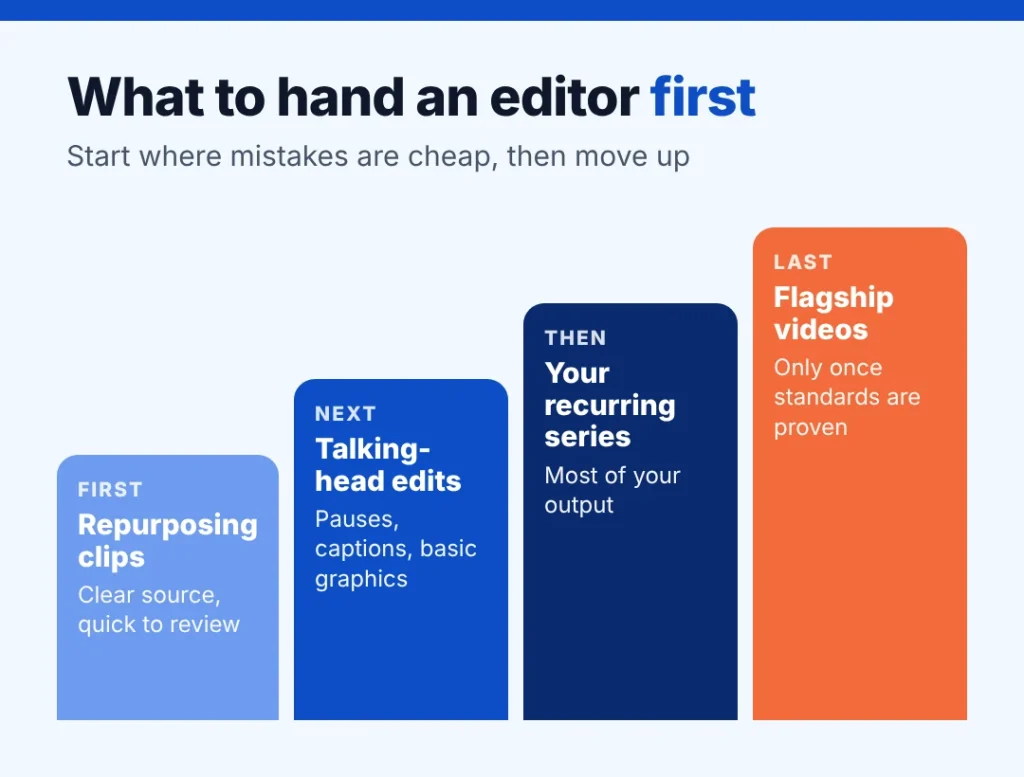
Do not hand over your most important video first. Start with work where mistakes are cheap and the format is clear, so the editor can learn your style without high stakes.
Repurposing clips from existing long videos. Clear source material, clear output, quick to review.
Simple talking-head edits. Cutting pauses, adding captions and basic graphics.
Your recurring format. Once the editor has done a few smaller pieces, move them onto the weekly or monthly series that makes up most of your output.
Keep flagship or launch videos in-house or with a trusted editor until the new person has proven they understand your standards.
Setting Up the Workflow
A shared folder structure. Raw footage, assets, drafts and finals in clearly named folders, so nothing gets lost or overwritten.
A project template. Titles, lower thirds, caption style, intro, outro and export presets saved once and reused every time.
Reference videos. Two or three examples of the pace and style you want, plus one you want to avoid.
Timestamped feedback. Comments attached to exact moments in the video, not paragraphs of general notes.
A two-round revision rule. One round for structure, one for polish, so turnaround stays predictable.
Turnaround Expectations
Turnaround depends on length, complexity and how much footage there is. Short social clips can often come back within a day or two. A polished long-form video with graphics may take several days. Agree realistic turnaround per format at the start, and plan your publishing schedule around it rather than expecting every piece overnight.
A Quality Checklist for Every Edit
- Audio levels consistent and speech clear throughout
- Captions accurate and correctly timed
- Brand colours, fonts and logo applied correctly
- No awkward cuts, long pauses or repeated takes left in
- Correct aspect ratio and export settings for each platform
Share this checklist with the editor so they review against it before sending drafts. It cuts revision rounds noticeably.
Getting More From Long-Form Video
One long video can feed a week of content. A good editor can cut a long interview or tutorial into several short clips, vertical versions for social platforms, a highlight reel and quote graphics. This is often the highest-return task to outsource, because it multiplies the value of filming you have already done without needing more of your time on camera.
Questions to Ask an Editor Before Hiring
What would you need from me to work faster? Good editors ask for templates, references and organised footage.
How do you handle audio problems? A strong answer shows they treat sound as seriously as picture.
Can you show before and after examples? Raw footage next to the final edit reveals more than a polished reel.
More on how hiring works is on the Pavago homepage.
Editing for Different Platforms
The same footage needs different edits depending on where it will be watched. Long-form videos on a website or YouTube can take time to build an argument. Short vertical clips for social platforms need a strong first few seconds, captions for viewers watching without sound, and a tighter pace throughout. Presentation and sales videos need clarity over style.
Tell your editor where each piece will be published before they start, and give them an export preset for each platform. Editing one version and cropping it for everywhere else usually produces content that works well in one place and poorly in the rest.
Common Mistakes When Outsourcing Editing
Sending disorganised footage. Editors spend paid time finding the right takes. Label files and mark the best moments.
Changing direction after the edit. Decide the structure before editing starts, not after the first draft.
Feedback from too many people. Consolidate comments into one set of notes per round.
Switching editors often. Each new editor relearns your style from scratch, which costs time on every video.
When to Move to a Dedicated Editor
The point to move from per-video services to a dedicated editor usually arrives when you publish on a fixed schedule and your format has settled. At that stage, the briefing and style corrections repeated on every outsourced video cost more than they save, and a single editor who already knows your template, pacing and audio standards turns work around faster with fewer revisions. Before making that move, read whether hiring a remote video editor is right for you.
Frequently Asked Questions
When should I outsource video editing?
When editing time exceeds the time you spend creating. Past that point, editing is limiting your output and the part only you can do is being crowded out.
How much does it cost to outsource video editing?
Per-video services charge per finished video, subscriptions charge monthly with a cap, freelancers charge per project or hour, and a dedicated editor costs a salary. The right model depends on volume and how consistent your format is.
What should I outsource first?
Repurposing: turning long videos into shorts and clips. It is high-volume, follows clear rules and returns time quickly.
Freelancer or editing service?
A service for occasional or modest volume. A freelancer or dedicated editor once volume is steady and style consistency matters.
Can video editing be done remotely?
Yes. Footage is shared through cloud storage and reviews happen on timestamped links. Turnaround expectations matter more than location.
Get back to creating
Search the pool free. Messaging and interviews are free. 3% of first-year salary on placement, 60-day replacement.